
Deploy Community Edition on fnOS NAS
This one-click deployment for fnOS NAS is suitable for starting SurveyKing v1.12.0 and MySQL in the Docker Compose page. After deployment, initialize the system via /setup.
Use Cases
- You have a fnOS NAS and Docker applications are already enabled.
- You want to complete the deployment using a graphical interface without manually installing Java and MySQL.
- You want SurveyKing primarily accessible within your home network, office, or school network.
If your NAS has an outdated CPU, it may not be able to run the current Docker image. If you encounter CPU does not support x86-64-v2, see the common issues section first.
Steps
1. Enter Compose Project
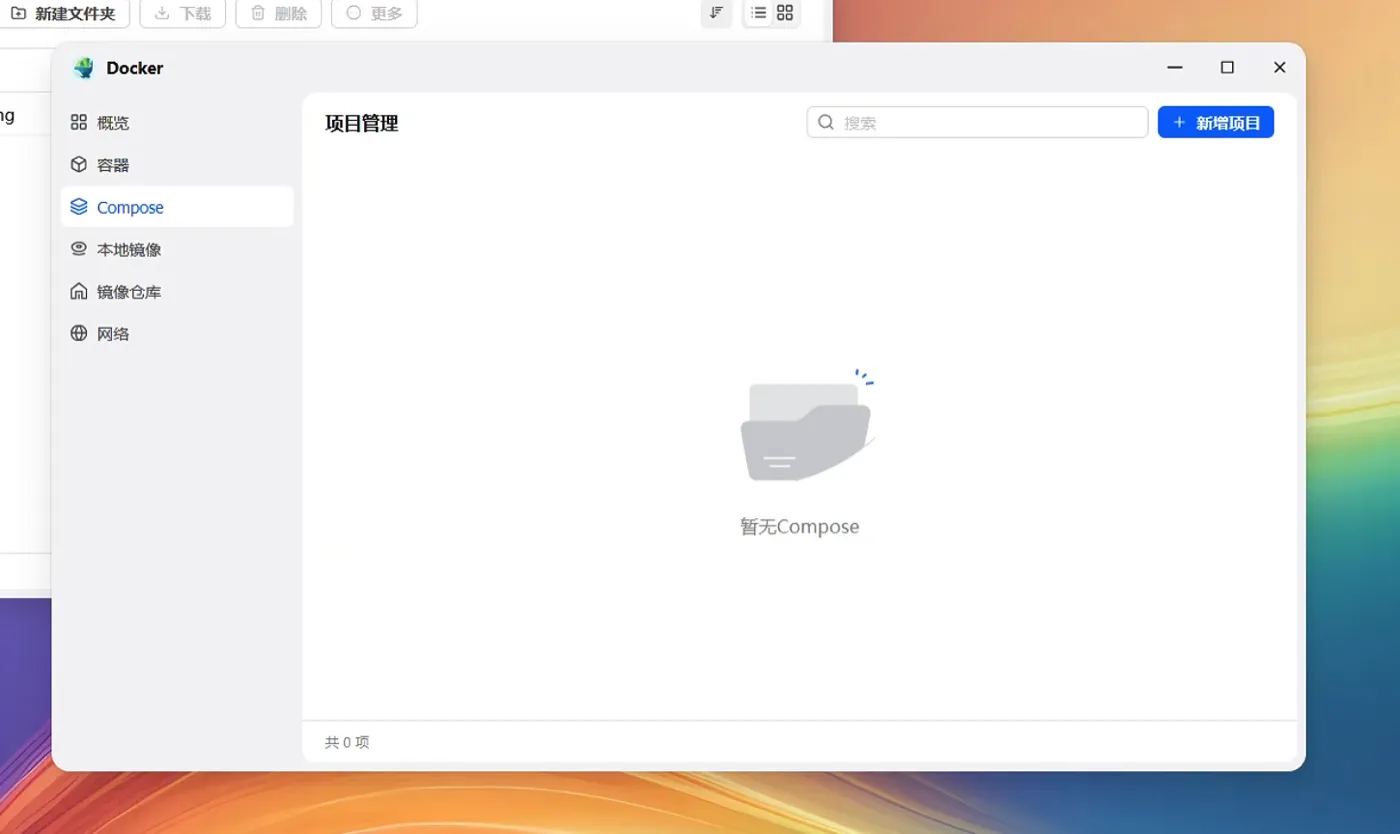
Open the Docker application on your fnOS NAS and go to Compose. Click Add project.
2. Fill in Project Name and Path
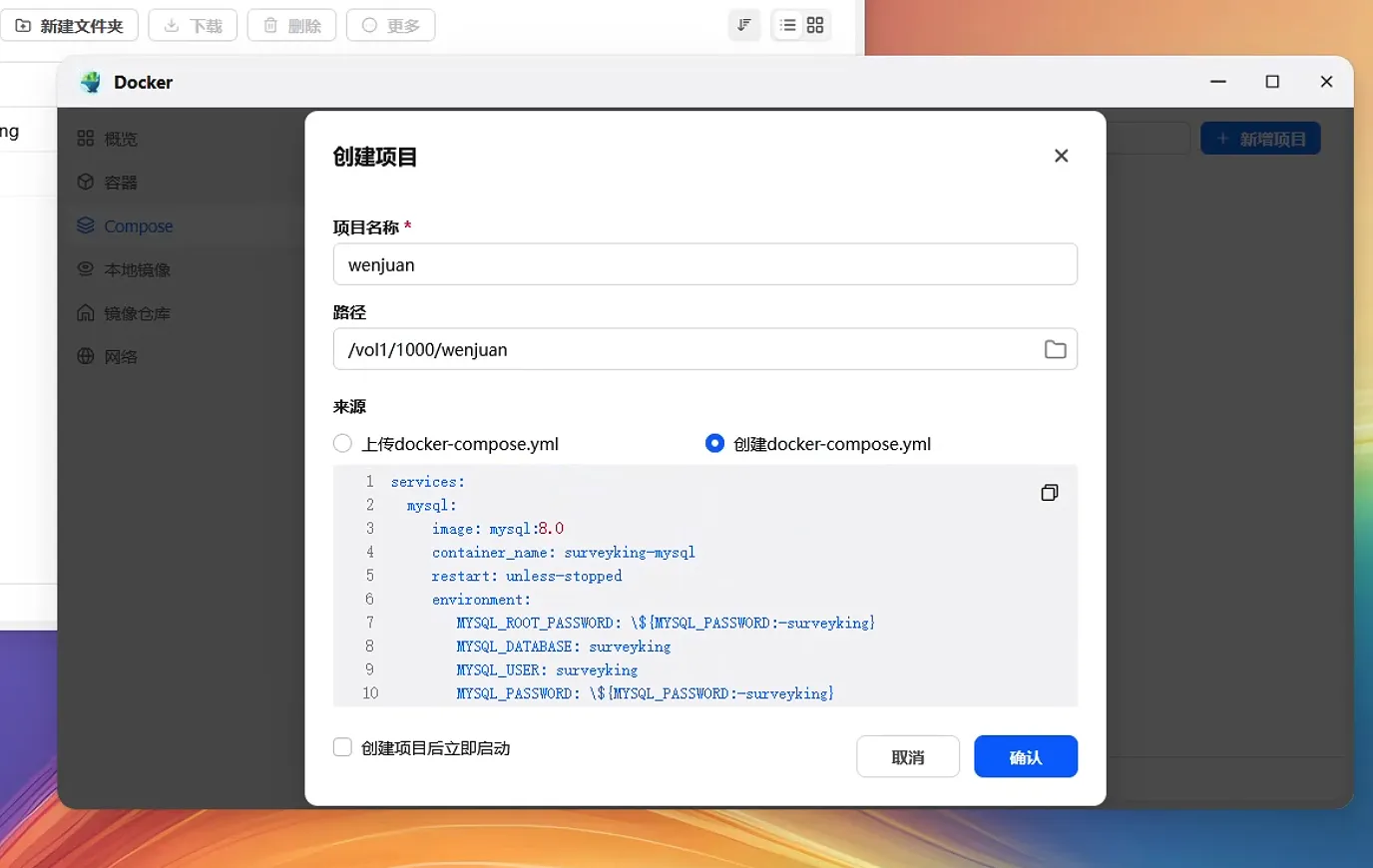
Enter surveyking for the project name. You can choose the following path:
/vol1/1000/surveyking
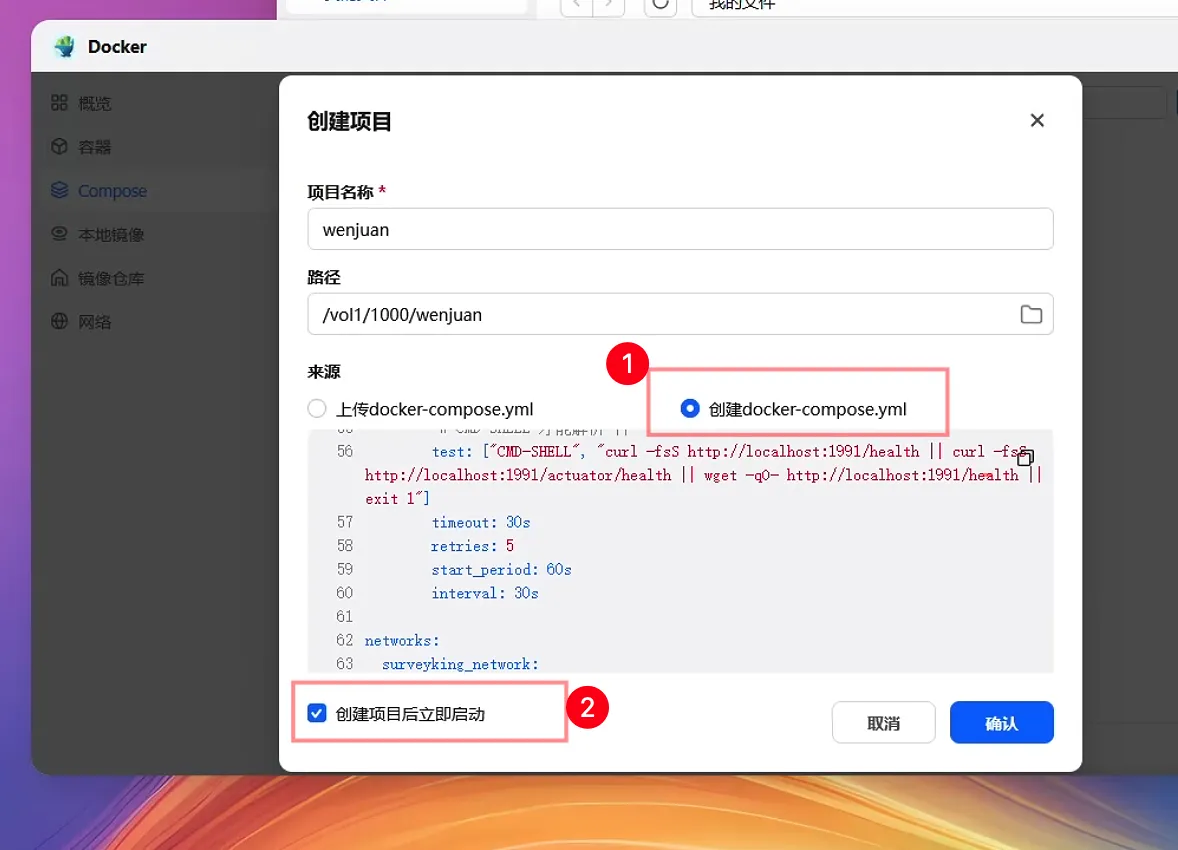
Select Create docker-compose.yml.
3. Paste Compose and Start
Paste the following content into docker-compose.yml:
services:
  mysql:
    image: mysql:8.0
    restart: unless-stopped
    command:
      - --character-set-server=utf8mb4
      - --collation-server=utf8mb4_unicode_ci
    environment:
      MYSQL_ROOT_PASSWORD: surveyking
      MYSQL_DATABASE: surveyking
    healthcheck:
      test:
        [
          'CMD-SHELL',
          'mysqladmin ping -h 127.0.0.1 -uroot -p$${MYSQL_ROOT_PASSWORD} --silent',
        ]
      interval: 10s
      timeout: 5s
      retries: 12
      start_period: 30s
    volumes:
      - ./mysql/conf:/etc/mysql/conf.d
      - ./mysql/data:/var/lib/mysql
      - ./sqls:/docker-entrypoint-initdb.d
  surveyking:
    image: surveyking/surveyking:latest
    restart: unless-stopped
    environment:
      SERVER_PORT: '1991'
    ports:
      - '1991:1991'
    volumes:
      - ./files:/app/files
      - ./logs:/app/logs
    depends_on:
      mysql:
        condition: service_healthy
Check Start immediately after creation and then click create.
v1.12.0 initializes the database in the /setup page, so you don't need to import SQL files beforehand.
4. Configure Image Acceleration if Download is Slow
If the project gets stuck downloading the image during startup, go to Docker’s image settings and add an image acceleration address.
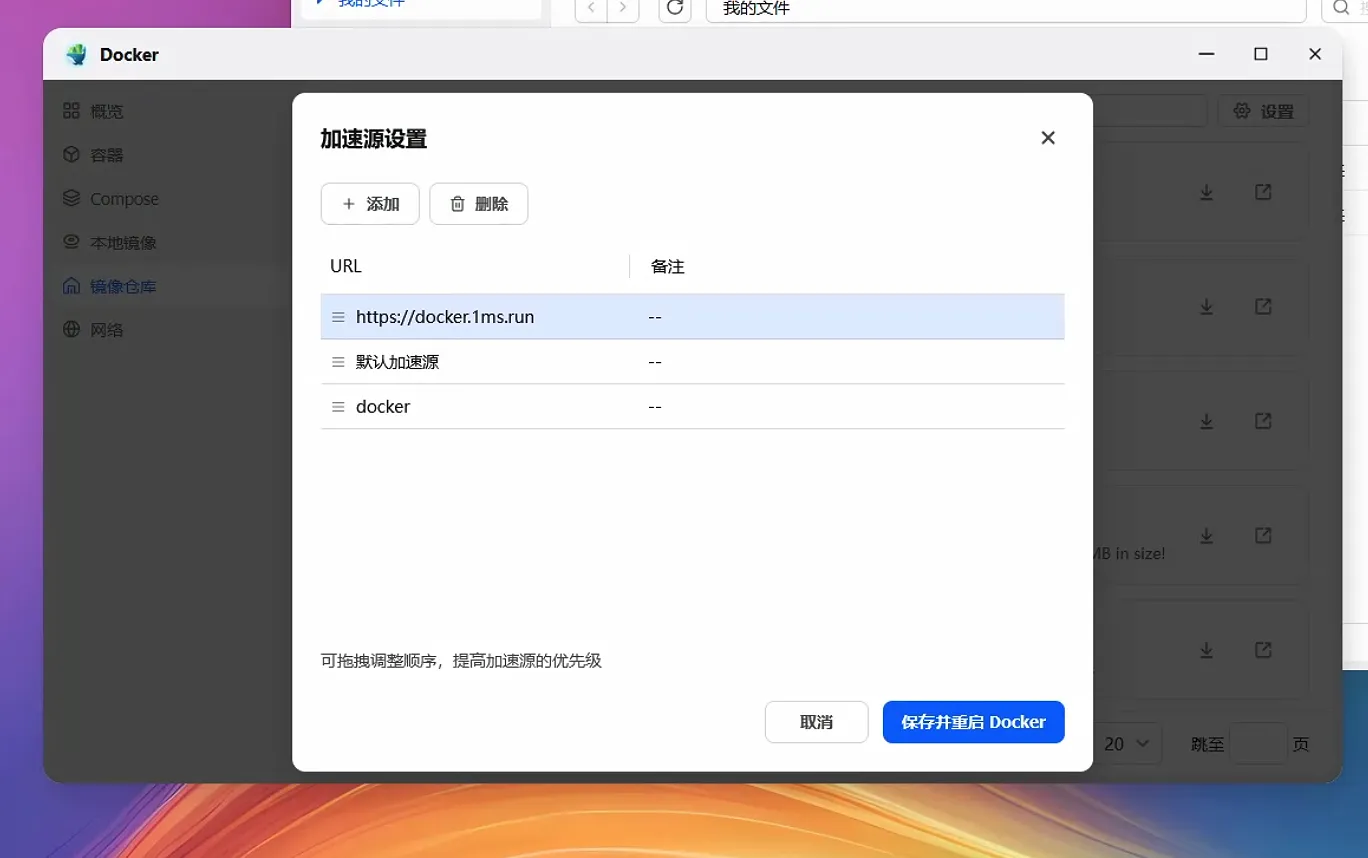
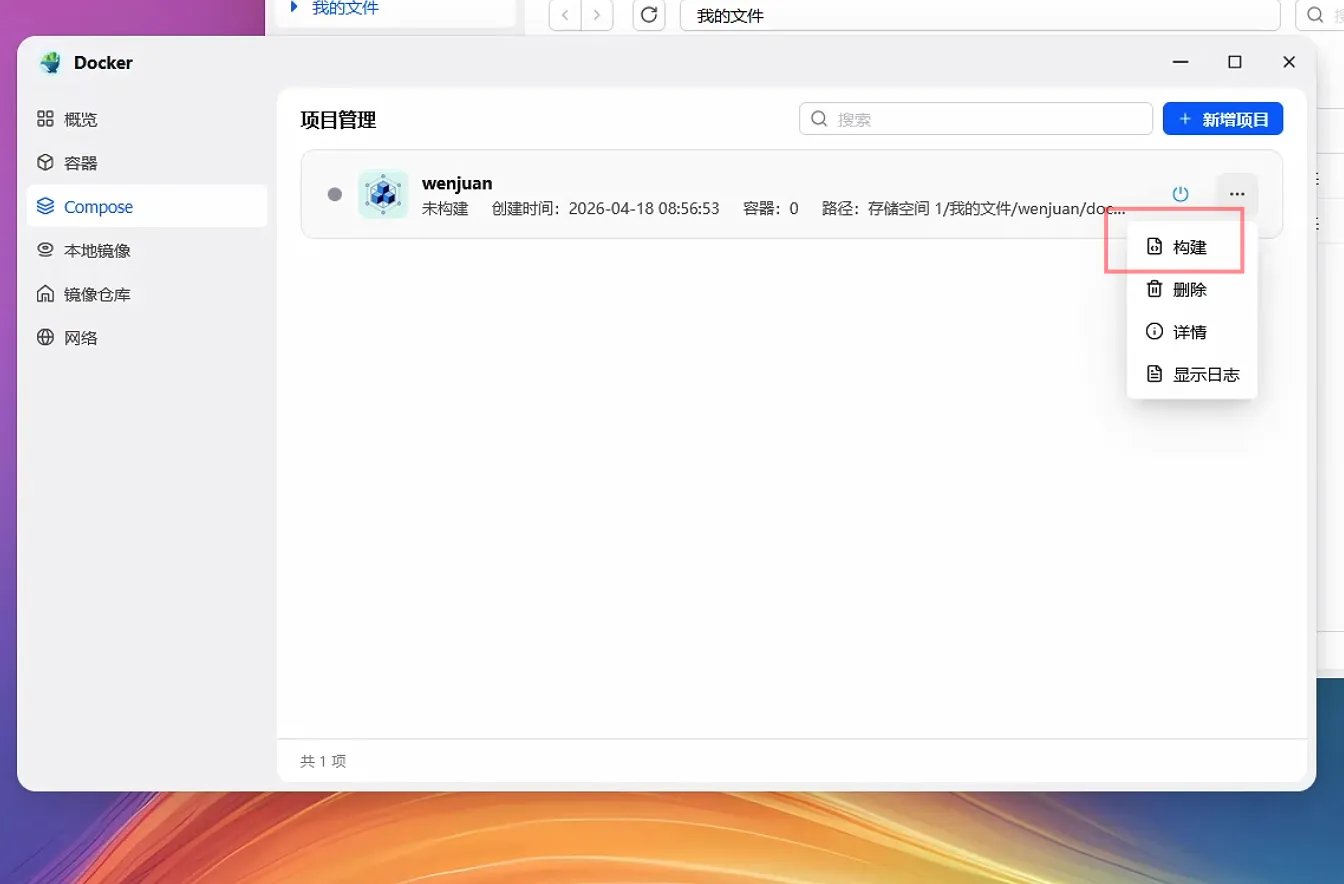
Save and return to the Compose project. Click Build or restart the project in the project menu.
5. Open and Initialize System
Open the following URL in your browser:
http://fnos_nas_ip:1991
If it doesn't automatically redirect, open this URL directly:
http://fnos_nas_ip:1991/setup
Select MySQL database. Choose Docker Compose built-in MySQL as the deployment method. If the default values on the page are inconsistent, fill in as follows:
| Configuration Item | Value |
|---|---|
| Database Address | mysql |
| Port Number | 3306 |
| Database Name | surveyking |
| Username | root |
| Password | surveyking |
Then complete the initialization by filling in system information and following Initialize, Backup, and Upgrade. Change the default password after your first login.
Common Issues
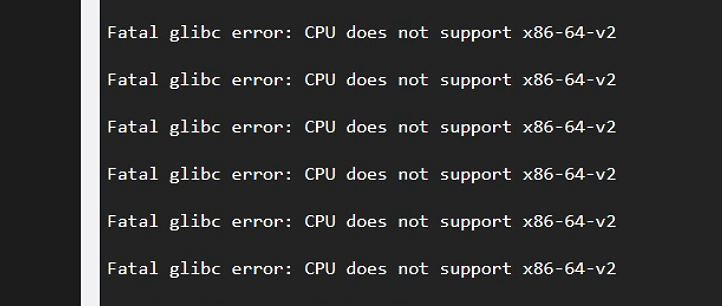
What to do if you see the error CPU does not support x86-64-v2?
This error indicates that the NAS CPU does not support the instruction set required by the current Docker image.
You can try:
- Deploying with a newer NAS or server with an updated CPU.
- Using Windows one-click deployment or cloud server Docker Compose deployment.
- Monitoring for future releases of images compatible with older CPUs.
Why can’t my phone access localhost:1991?
localhost only refers to the current device.
When accessing SurveyKing on your mobile device, enter the LAN IP address of your fnOS NAS, such as:
http://192.168.1.23:1991
Do not enter http://localhost:1991 on your phone. That accesses your phone itself, not the NAS.
Why does the /setup page use port 3306, and not 33060?
33060 is the externally exposed MySQL port on the NAS.
When the SurveyKing container connects to the MySQL container, it uses the internal network, so enter:
mysql:3306
in /setup.
Why won’t the project start after creation?
Enter the Compose project and check the two containers:
| Container Name | Function |
|---|---|
surveyking-mysql | MySQL database |
surveyking-app | SurveyKing application |
If the containers are not running, first click Build in the project menu, then start after completion.
Port 1991 is already in use. What should I do?
Change the following in the Compose file:
ports:
  - '1991:1991'
to:
ports:
  - '8080:1991'
Save and restart the project, then access http://fnOS NAS IP address:8080.
How do I back up?
First, enter the system settings to export a backup package. See Initialize, Backup, and Upgrade for backup and restore steps.
If the system cannot be opened, stop the surveyking project and manually copy the mysql/data and files directories under the project path.