Community Edition Updates
Before upgrading, first export a backup using the Initialize, Backup & Upgrade guide. If you are not familiar with server operations, we recommend deploying the new version and importing the backup after deployment.
How to execute the update script?
First, view Initialize, Backup & Upgrade, then run the corresponding SQL scripts in this document based on your version.
How to update the system?
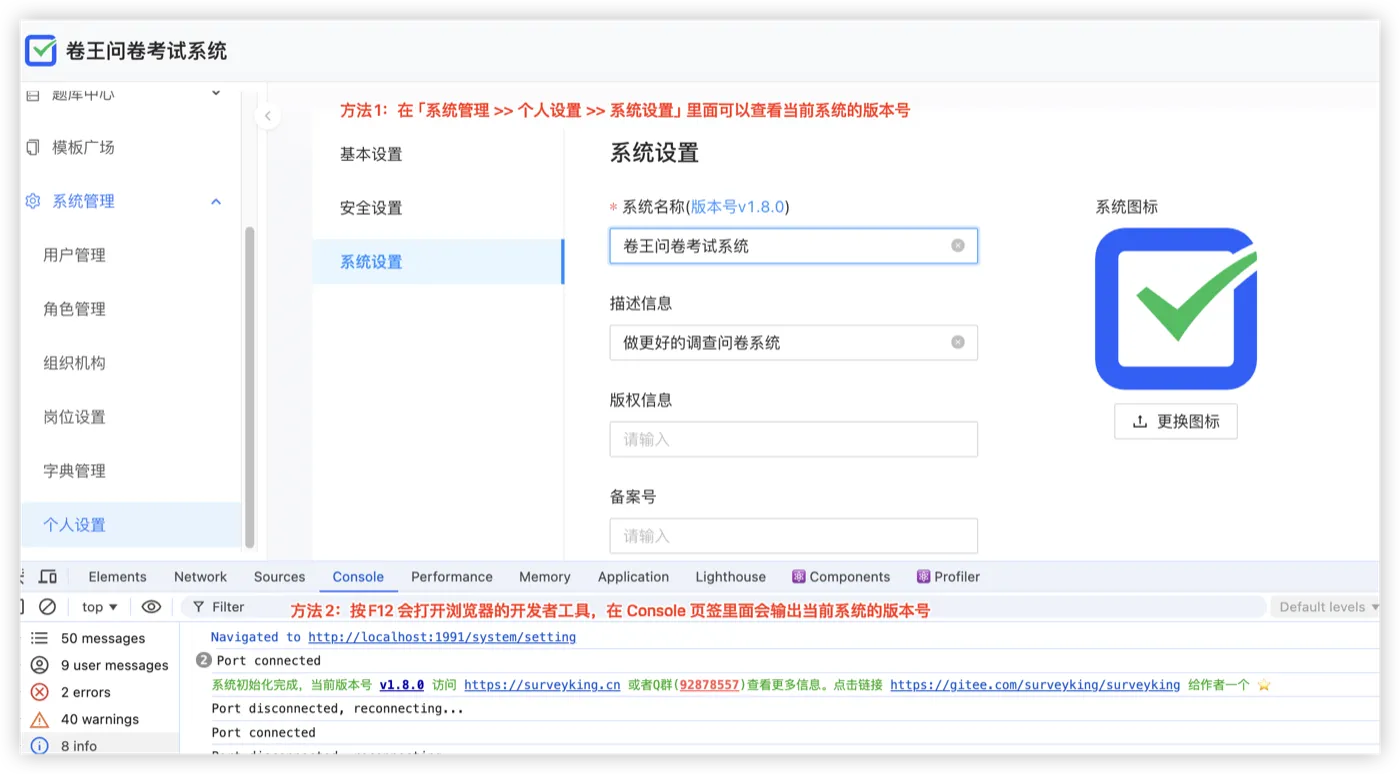
- You must first view the current system version number, such as when the latest version is 1.8 and your current version is 1.6.
- Export a backup first.
- Run the database script in 1.6 -> 1.7.
- Then run the database script in 1.7 -> 1.8.
How to Obtain the Latest Installation Package File
Build from Source Code
# Download the source code
git clone https://gitee.com/surveyking/surveyking

# Build the installation package
cd server
mvn clean package -DskipTests -Ppro

# The installation package is in the api/target directory

Baidu Network Disk
Link: https://pan.baidu.com/s/1HrihgbPU2Vnx00b5SEGCeA?pwd=1234 Extract code: 1234
QQ Group
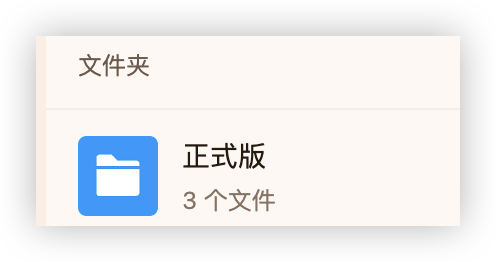
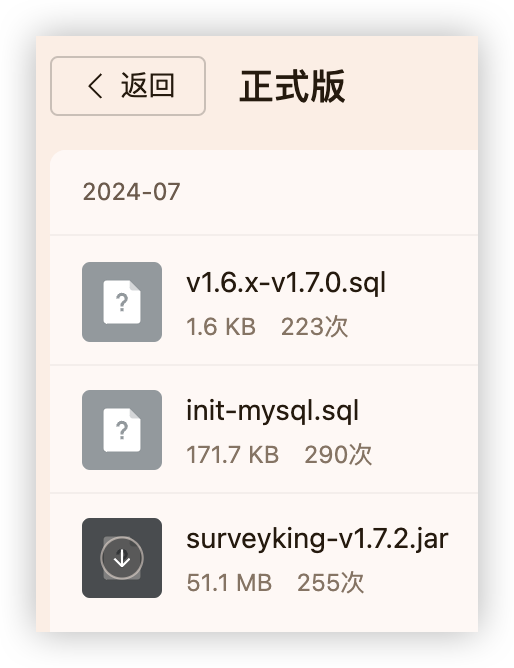
You can find the latest join QR code on the official website homepage in the "Official Version" section of the QQ group. You can find the latest deployment package there.
MySQL Database Update Files
1.7 -> 1.8
Download upgrade SQL file
ALTER TABLE `t_repo` ADD COLUMN `is_practice` tinyint NULL DEFAULT NULL COMMENT '添加到练习题库 1是 0否' AFTER `update_by`;
1.6 -> 1.7
Download upgrade SQL file
ALTER TABLE `t_answer` ADD COLUMN `exam_exercise_type` varchar(4) CHARACTER SET utf8mb4 COLLATE utf8mb4_bin NULL DEFAULT NULL COMMENT '考试练习类型' AFTER `exam_info`;

ALTER TABLE `t_answer` ADD COLUMN `repo_id` varchar(256) CHARACTER SET utf8mb4 COLLATE utf8mb4_bin NULL DEFAULT NULL AFTER `update_by`;

ALTER TABLE `t_answer` MODIFY COLUMN `survey` longtext CHARACTER SET utf8mb4 COLLATE utf8mb4_bin NULL COMMENT '问卷' AFTER `temp_answer`;

ALTER TABLE `t_comm_dict` MODIFY COLUMN `dict_type` int NULL DEFAULT 1 COMMENT '字典类型 1:问卷字典 2:系统字典' AFTER `remark`;

ALTER TABLE `t_repo` ADD COLUMN `category` varchar(64) CHARACTER SET utf8mb4 COLLATE utf8mb4_bin NULL DEFAULT NULL COMMENT '题库分类' AFTER `description`;

ALTER TABLE `t_template` ADD COLUMN `serial_no` varchar(256) CHARACTER SET utf8mb4 COLLATE utf8mb4_bin NULL DEFAULT NULL COMMENT '序号' AFTER `repo_id`;

ALTER TABLE `t_user` ADD COLUMN `correct_times` int NULL DEFAULT NULL COMMENT '错题答对清除次数' AFTER `profile`;

ALTER TABLE `t_user_book` ADD COLUMN `correct_times` int NULL DEFAULT NULL COMMENT '正确次数' AFTER `wrong_times`;

ALTER TABLE `t_user_book` ADD COLUMN `repo_id` varchar(256) CHARACTER SET utf8mb4 COLLATE utf8mb4_bin NULL DEFAULT NULL AFTER `update_by`;

ALTER TABLE `t_user_book` ADD COLUMN `is_marked` tinyint NULL DEFAULT NULL AFTER `repo_id`;

INSERT INTO `t_comm_dict` (`id`, `code`, `name`, `remark`, `dict_type`, `create_at`, `create_by`, `update_at`, `update_by`) VALUES ('1785213222001905666', 'repoType', '题库模板', NULL, 2, '2024-04-30 15:42:54', '1457995481966747649', '2024-04-30 15:56:15', '1457995481966747649');
h2 Version Update
Frequently Asked Questions
How to check the current system version?
There are two ways to check the current system version.